


High demand: Pricing is subject to change as limited spots are claimed.



| Screen Size | 14 inches |
| Resolution | 1920 x 1200p |
| Aspect Ratio | 16:10 |
| Screen Surface Description | Glossy |
| Aspect Ratio | 16:10 |
|---|---|
| Screen Finish | Glossy |
| Contrast Ratio | 1000:1 |
| Refresh Rate | 60 hertz |
| Display Type | LCD |
| Display Technology | IPS |
| Viewing Angle | 85 degrees |
| Brightness | 300 cd |
| Color Gamut | 72 |
| Picture Quality Enhancement Technology | Full HD, HDR, IPS |
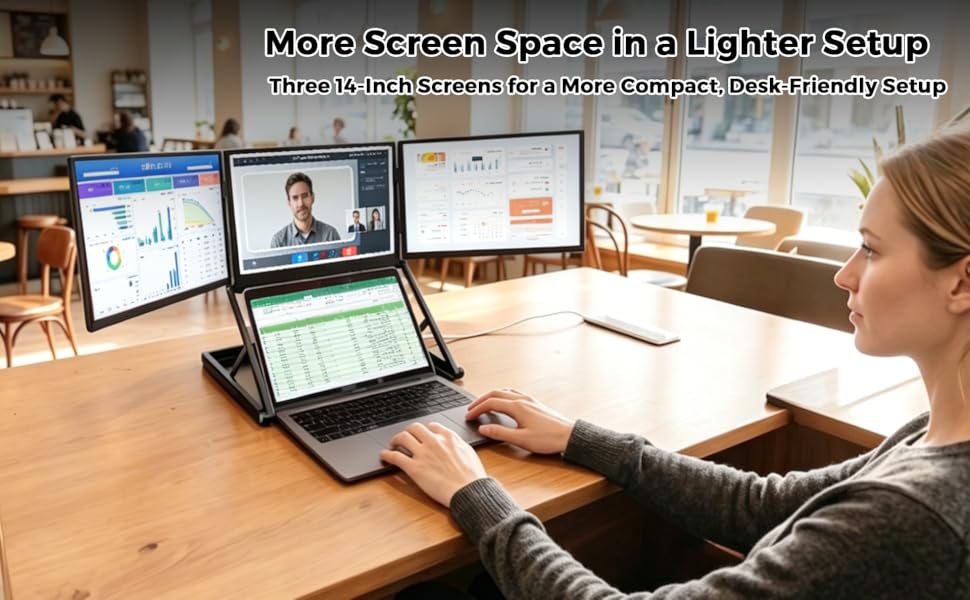
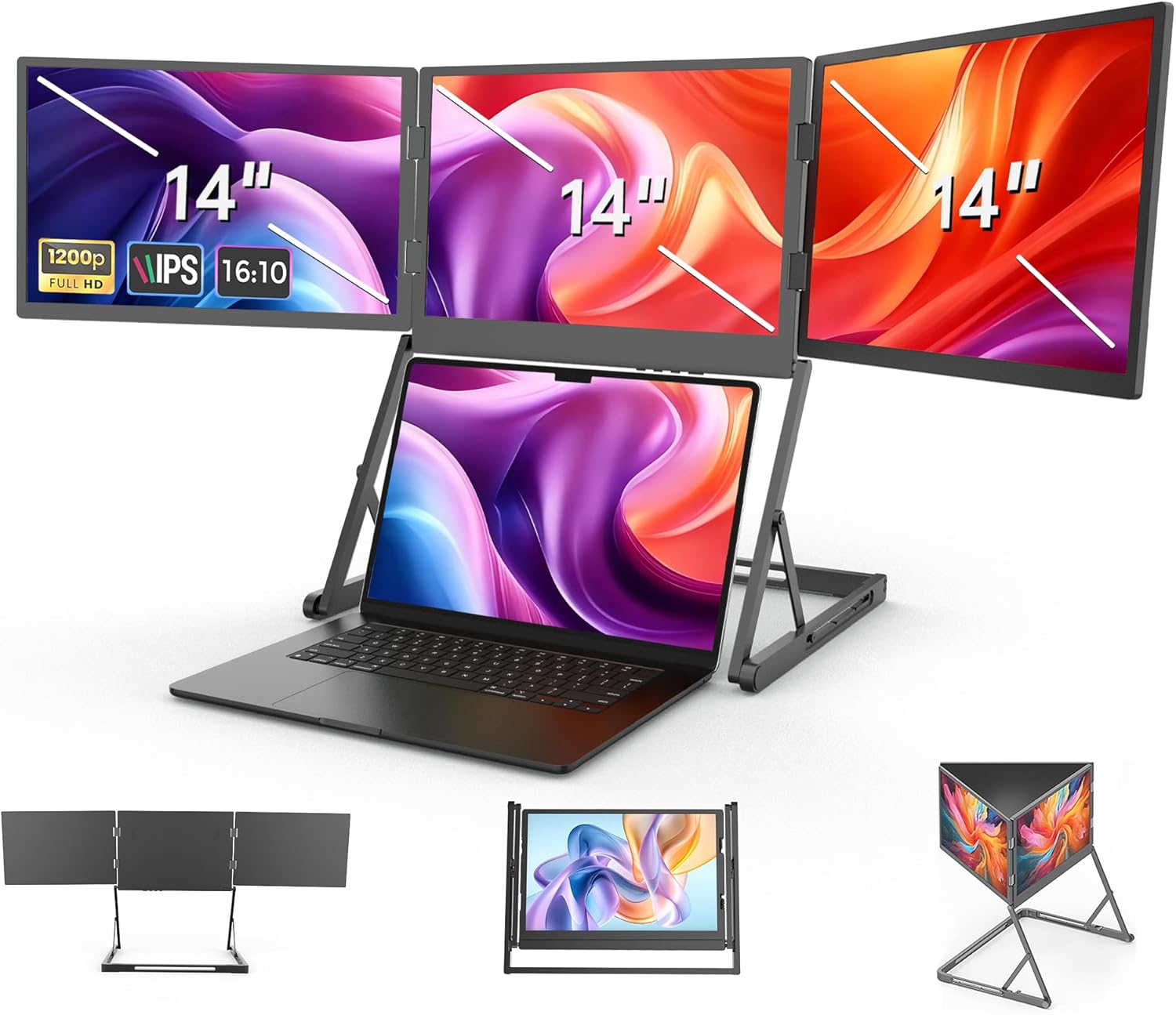
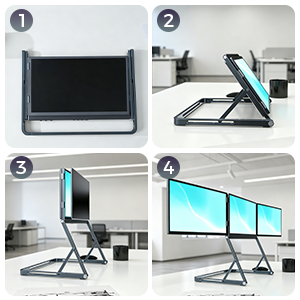
The 14-inch triple-screen extender is designed for users who want extra screen space in a lighter, more compact setup. Ideal for mobile work, daily tasks, and flexible multitasking, it helps expand your laptop workspace while keeping your desk easier to organize and more comfortable to use.
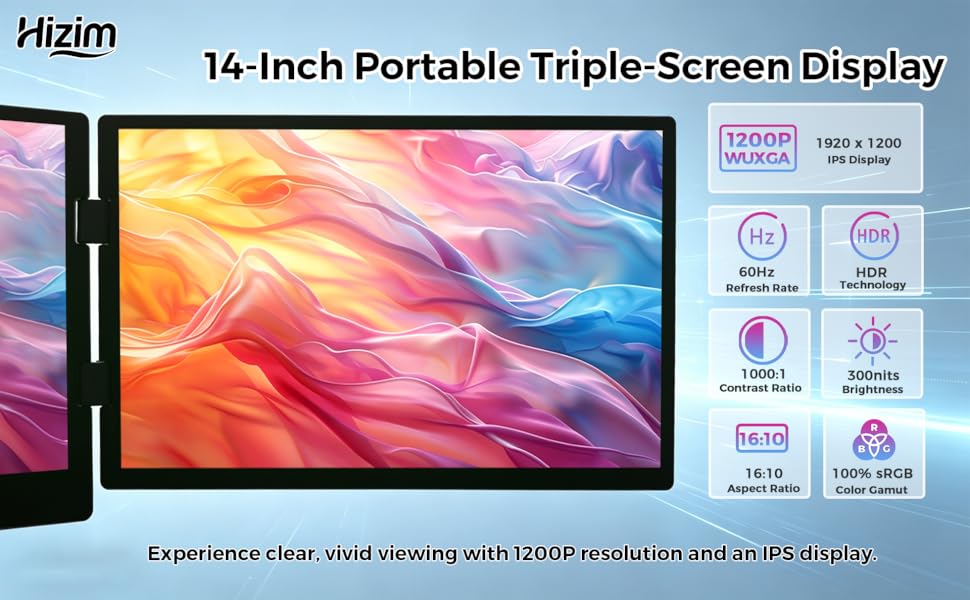
The 14-inch triple-screen extender is equipped with three 1200P IPS displays to provide clear, vivid viewing in a more compact setup. With 1920 × 1200 resolution and a 16:10 aspect ratio, it offers more vertical screen space for documents, spreadsheets, and daily multitasking, helping users view content more comfortably and work more efficiently.
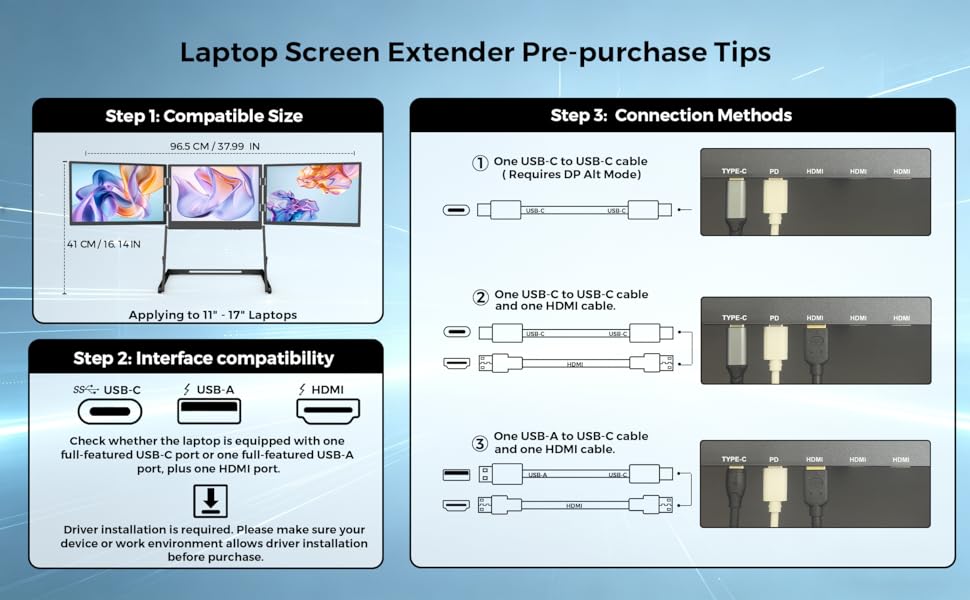
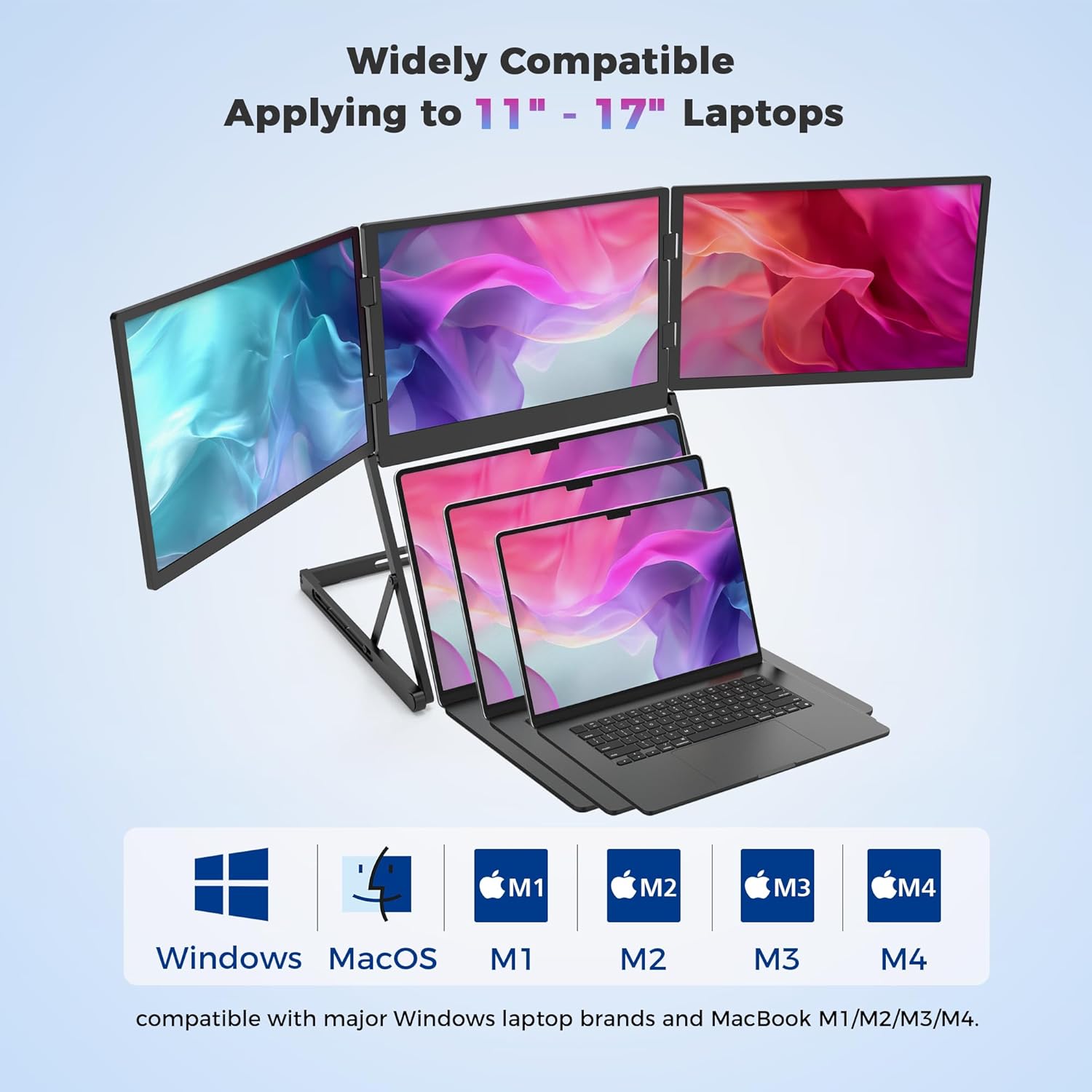
Please check laptop size, port compatibility, and driver installation support before purchase. This screen extender is designed for 11" to 17" laptops and supports multiple connection methods based on your device’s available ports. Reviewing these requirements in advance helps ensure a smoother setup experience.
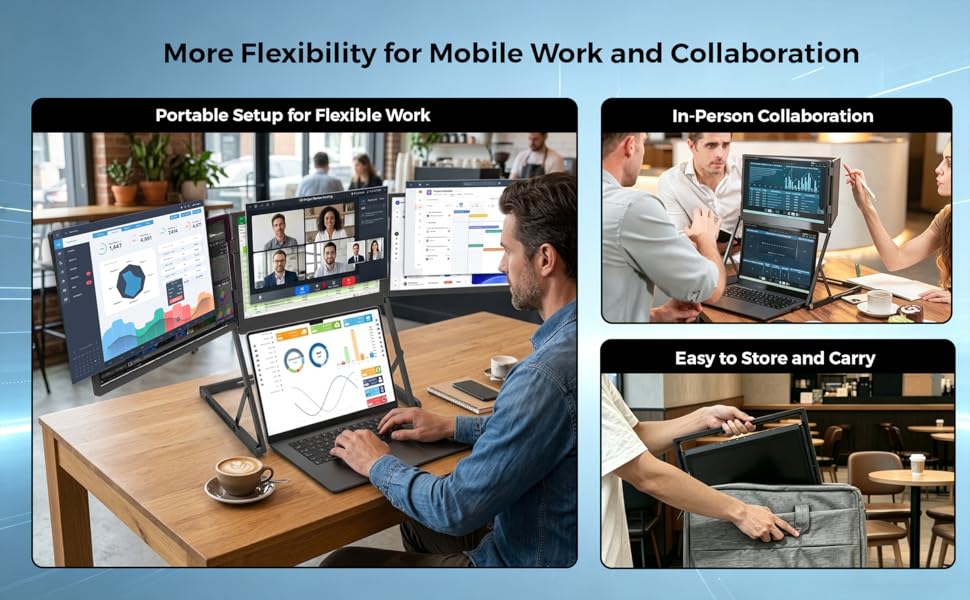
The Hizim 14-inch triple-screen extender is designed for users who need a more flexible setup for mobile work, in-person collaboration, and everyday productivity. Whether working in cafés, sharing content during face-to-face discussions, or packing it away after use, its portable design helps users stay organized, work more efficiently, and carry their setup more easily between locations.
Q1: My Mac shows only 1–2 screens after connecting, or displays the error "USB display device not connected." How do I fix this?
A: Both symptoms are typically caused by incorrect Screen Recording permission settings on macOS. Please follow these steps:
Open System Settings (macOS Ventura and later) or System Preferences (older macOS), then go to Privacy & Security.
Select Screen Recording and confirm that the driver for this product has been granted permission.
Turn off the Screen Recording permission for the driver, wait 5 seconds, then turn it back on.
Disconnect the device, wait 10 seconds, then reconnect and check if all three screens display correctly.
Q2: The screen flickers after connecting the power adapter. What causes this and how do I fix it?
A: Screen flickering is usually caused by unstable power delivery. Please work through the following steps:
Confirm you are using the original 35W power adapter included in the product package. Third-party or lower-wattage chargers may not deliver stable power.
Check that the power cable is firmly and securely connected to both the adapter and the device port — a loose connection can also cause flickering. Try a different power outlet or power strip to rule out issues with the wall socket.
Q3: The driver is installed on my Windows PC, but the screen shows nothing when connected via USB-C or USB-A. What should I do?
A: A full device restart is required to completely activate all driver functions after installation. Please follow these steps:
After driver installation, perform a full restart of your Windows device . Once restarted, reconnect the screen cables and check whether all three screens are now displaying correctly. If screens are still not showing, try uninstalling and reinstalling the driver
Q4: The middle screen displays incompletely after connecting to a Mac. How do I fix this?
A: Incomplete display on the middle screen is typically caused by a mismatch between your Mac's default screen ratio and the external display (when the laptop screen is not standard 16:10). To fix this: press the Settings button on the external screen, locate the display option "IMAGE AUTO ADJUST" for the middle screen, and apply the calibration. The screen will then display all content in full.

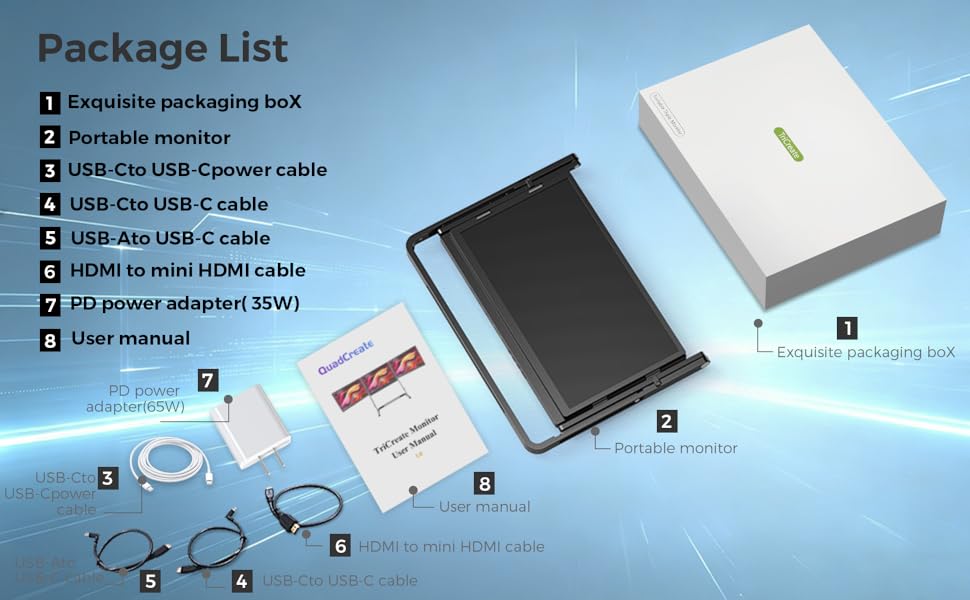
1:Exquisite packaging box*1
2:Portable monitor*1
3:USB-C to USB-Cpower cable*1
4:USB-C to USB-C cable*1
5:USB-A to USB-C cable*1
6:HDMI to mini HDMI cable*1
7:PD power adapter(35W)*1
8:User manual*1
9:U Disk with drivers*1
The Checkout Process is Guaranteed to be 100% Safe and Secure with Credit Card or PayPal.
100% Satisfaction Guaranteed With Every Order.


111.png?w=1552&h=359)